

This feature is currently in open beta.
WSJT-X version 3.0.0 and later supports the TCI protocol. TCI was originally designed for controlling Expert SDRs, and it is comprehensive enough that we have adopted it as the de-facto standard for RHR station control.
The TCI Protocol carries both audio and CAT data over a single TCP port, making setup a snap. No longer do you need complicated virtual COM ports or audio loopback devices.
TCI Support
Tested with: DXLog, N1MM+, WSJT-X, JTDX.
Feature | Supported | Notes |
|---|---|---|
Receive audio | ✅ | 48 kHz only |
Receive audio format | ✅ | 16-, 24- or 32-bit integer, or 32-bit float. Mono or stereo. |
Transmit audio | ✅ | 32-bit float stereo only |
CW messages and macros | ✅ | |
Real-time CW keying | ✅ | |
IQ stream | ❌ | Not available. SDR programs like SDROxide can't receive. |
CW sent as an audio tone | ❌ | The radio keys but nothing is sent. Use CW messages or keying instead. |
Operating
Perform the one-time setup steps below to enable TCI and AutoGrid in WSJT-X.
Then, each time you operate:
Start the LocalMate app. It will run in the system tray - the icon looks like a Yagi antenna.
Connect to any station. Both Flex and Icom radios will work.
Start WSJT-X, or click Retry if it is already running.
Audio and frequency data should automatically begin flowing into WSJT-X.
One-Time Setup
Download, install, and launch LocalMate: https://my.remotehamradio.com/download
Launch WSJT-X and open Settings.
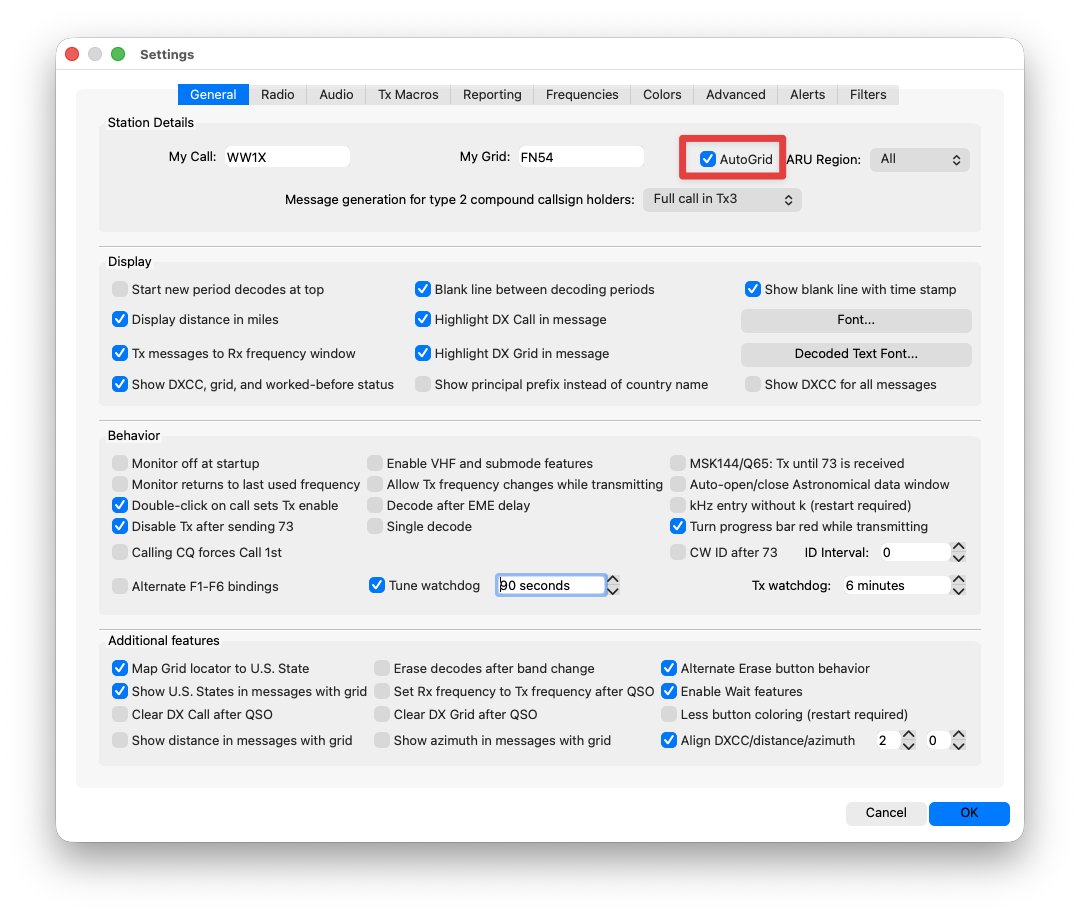
Enable AutoGrid
On the General tab: Check AutoGrid
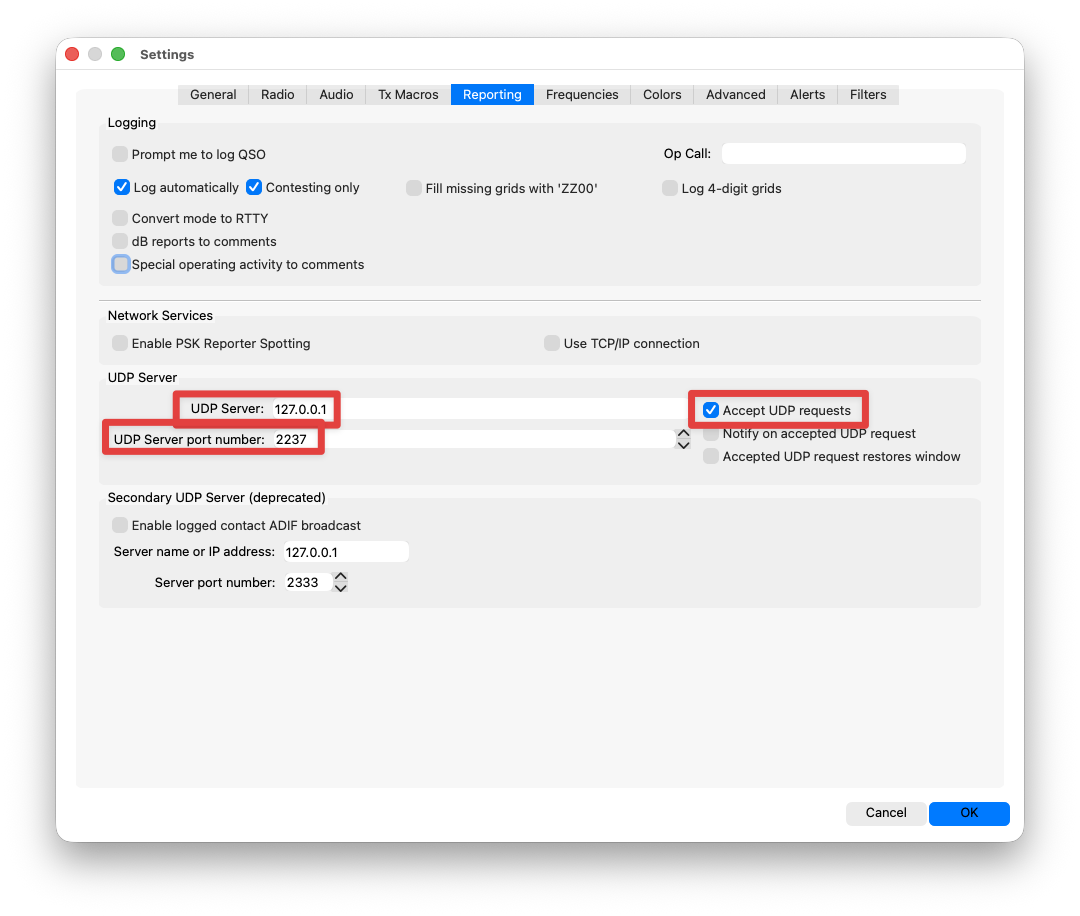
On the Reporting tab:
UDP Server: 127.0.0.1
UDP Server port number: 2237
Check Accept UDP requests
Enable TCI
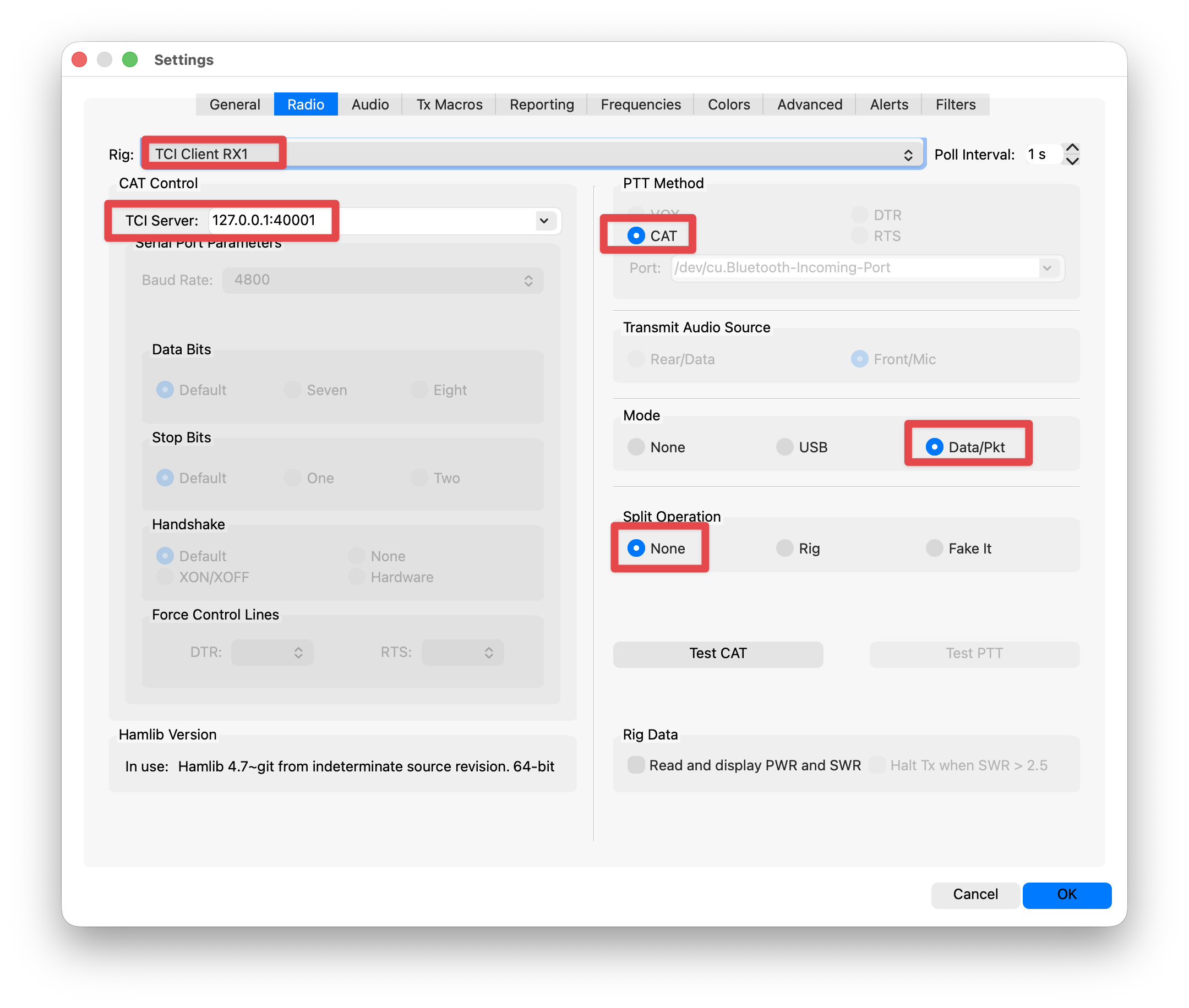
On the Radio tab:
Rig: TCI Client RX1
TCI Server: 127.0.0.1:40001
PTT Method: CAT
Mode: Data/Pkt
Split Operation: None
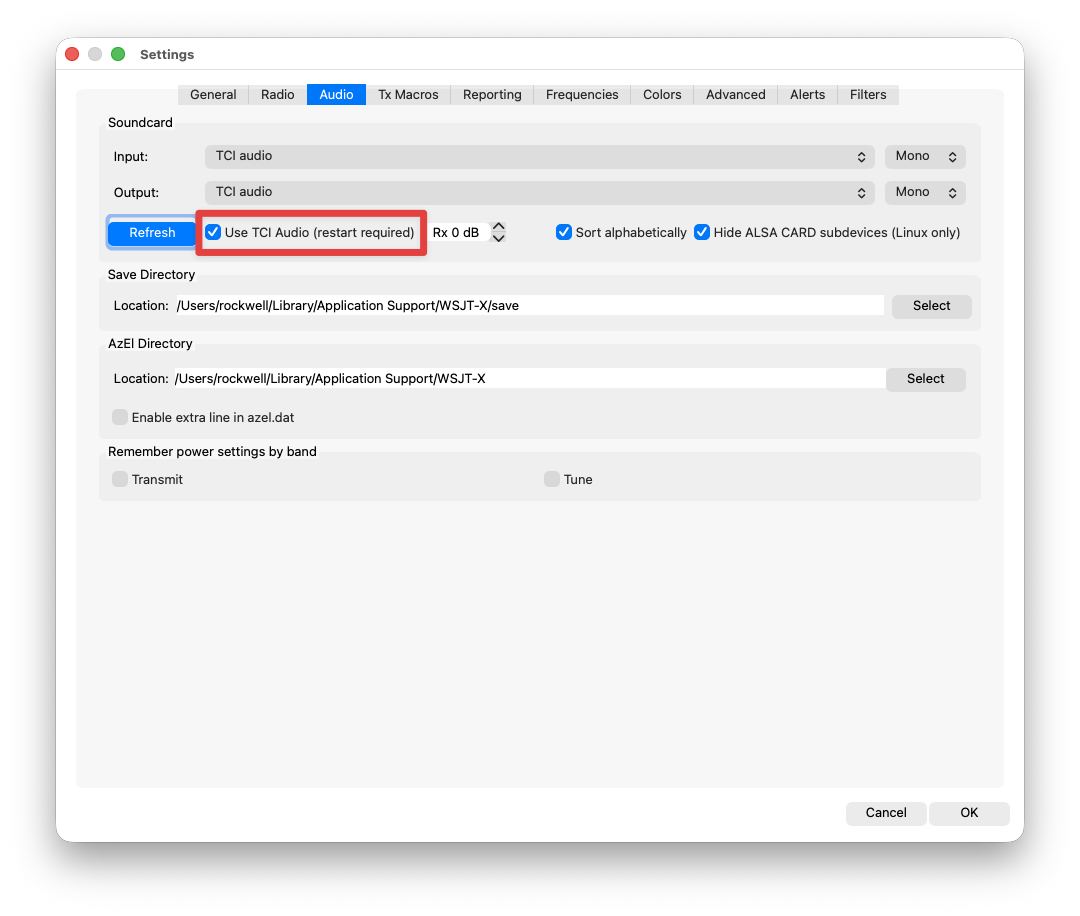
On the Audio tab: Check Use TCI Audio (restart required)
Finally, click OK, then quit WSJT-X and restart it.
Now you can operate using the steps in the first section.