⚠️ Warning: There are two different PDF files
There are two types of FCC licenses that can be downloaded from the FCC Universal Licensing System (ULS).
A
Reference Copycan be generated by anybody, and has the text "Reference Copy" printed across the background.An
Official Copycan only be generated by the license holder, and has the text "Official Copy" printed across the background. This file is required for registration as an amateur radio operator with RHR.
A Reference Copy is not acceptable as a form of identification for RHR registration.
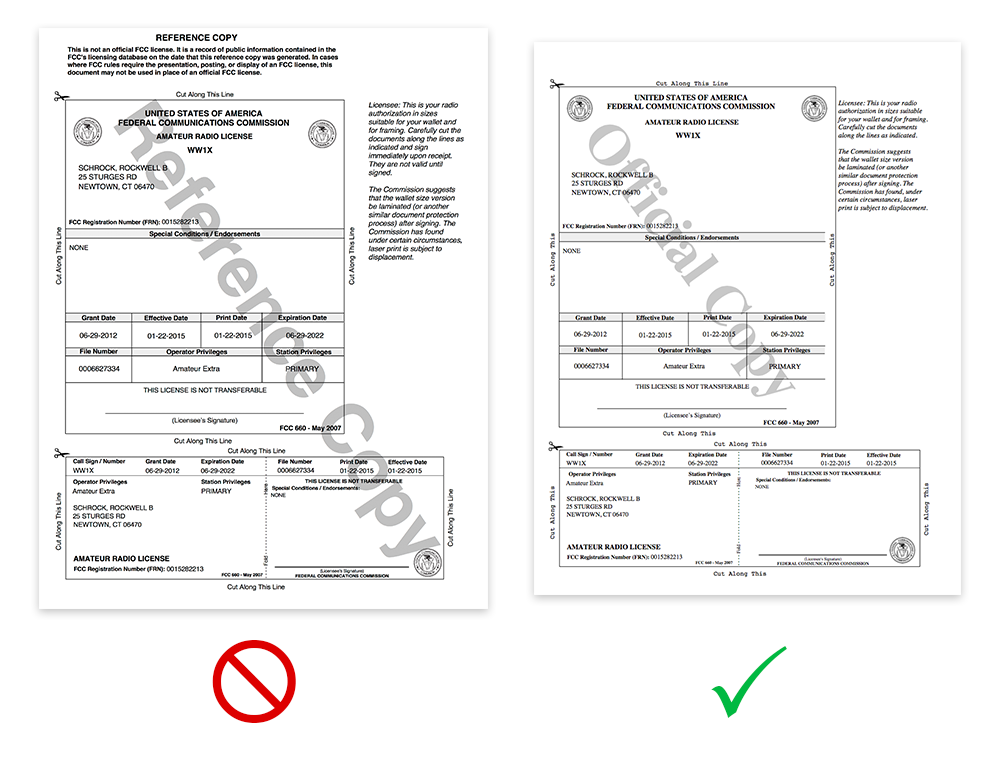
Note the words "Official Copy" in the background.
📦 Download Steps
1. Log in to the FCC ULS
Log in using your FCC Registration Number (FRN) and password.
2. Click Download Electronic Authorizations
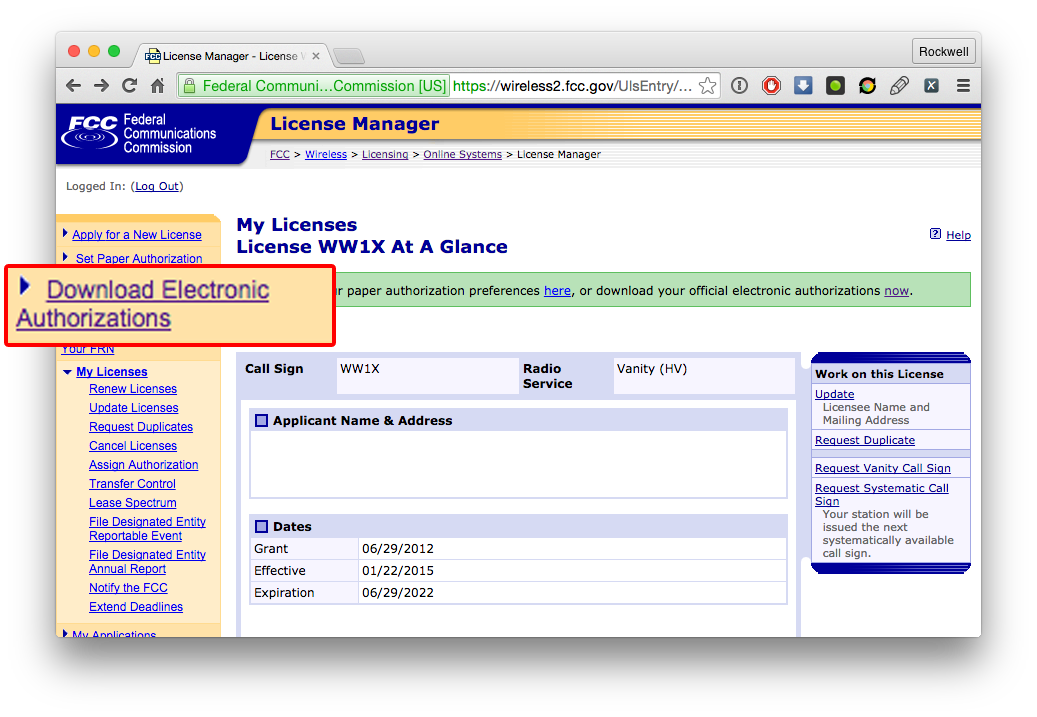
3. Choose the file for download
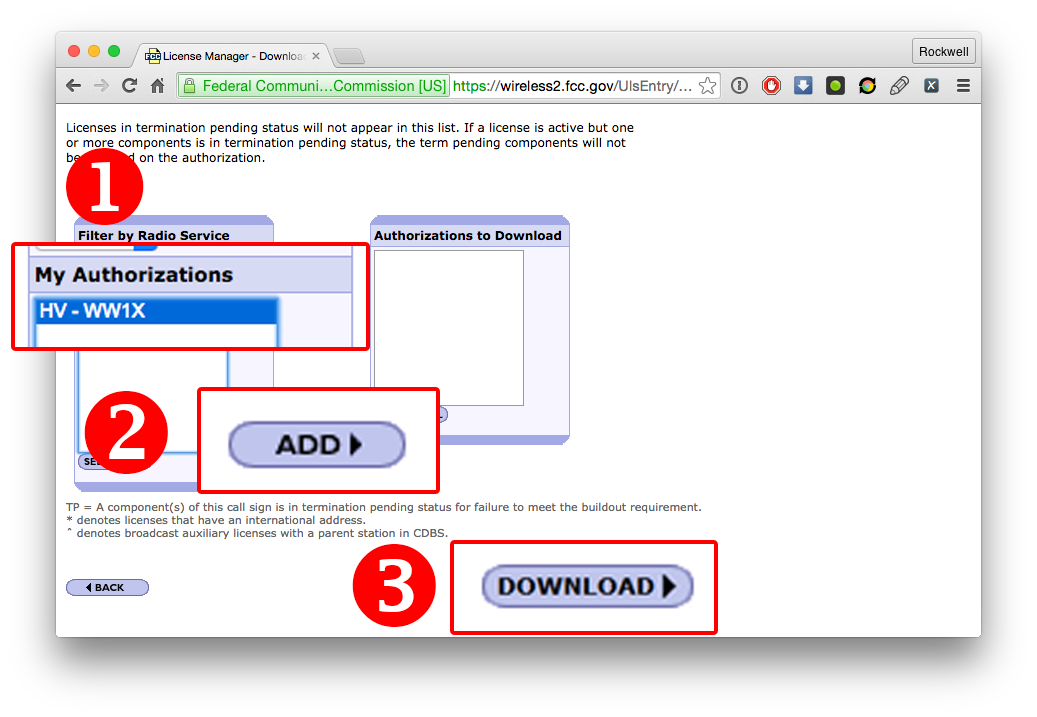
Select your callsign under My Authorizations, then click ADD. The license will move over to the Authorizations to Download list.
Finally, click DOWNLOAD.